
CRM migration
Leave HubSpot, Salesforce, Pipedrive, or Zoho without losing a field.
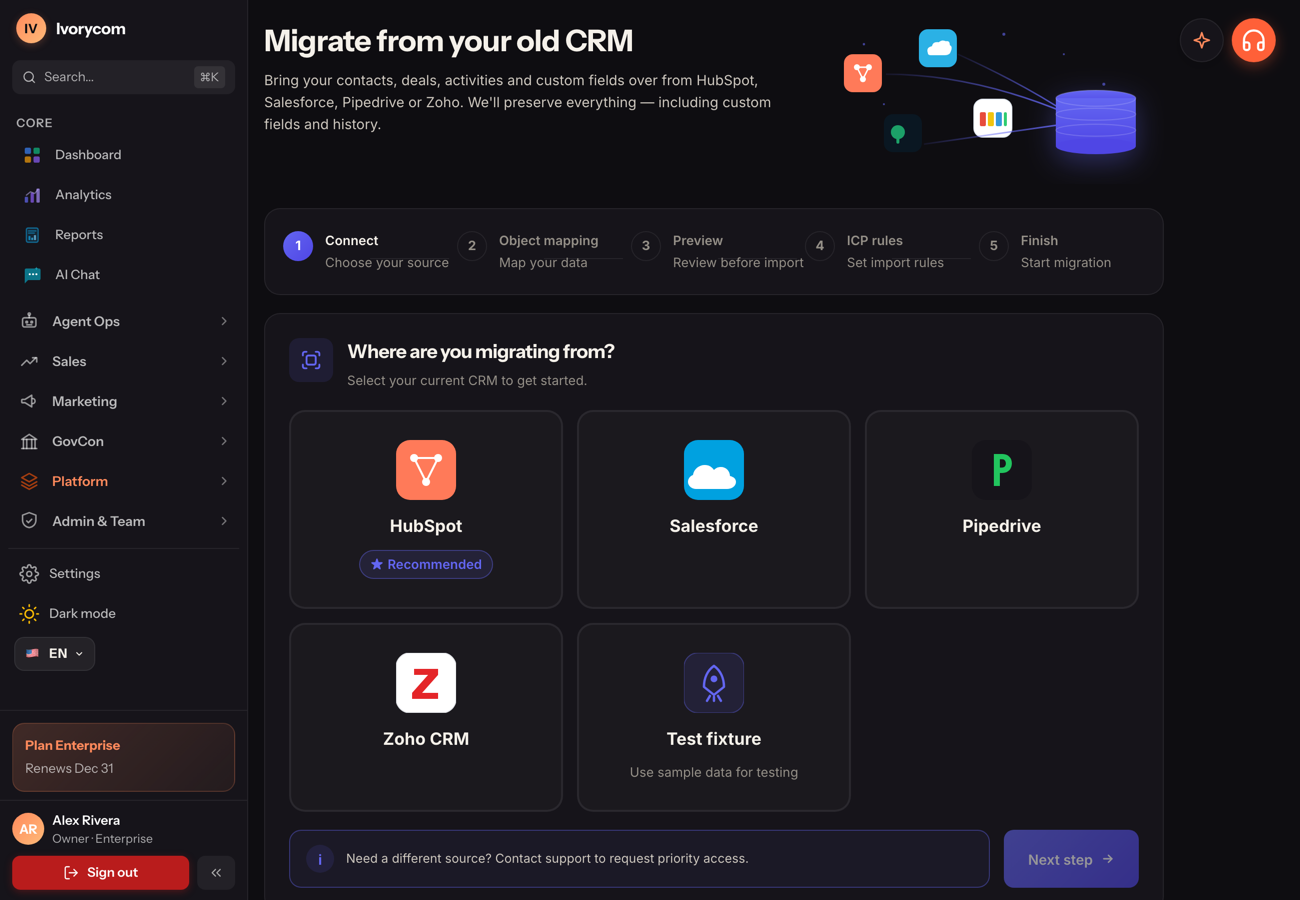
Guided migration brings contacts, accounts, deals, custom fields, and history — validated, deduplicated, and mapped into a clean workspace.
How it works
live- 1
Connect
Authorize your current CRM; Ivorycom reads objects and custom fields.
- 2
Map
Fields, stages, and owners map automatically with your review.
- 3
Verify
Import runs with validation, dedupe, and a full migration report.
Outcome
A one-click switch with your data intact and your team live the same week.
HubSpot · SF · Zoho
Bring your old CRM
See it in the product
This is what it looks like in your workspace.
A one-click switch with your data intact and your team live the same week.
Connect
Authorize your current CRM; Ivorycom reads objects and custom fields.
Map
Fields, stages, and owners map automatically with your review.
Verify
Import runs with validation, dedupe, and a full migration report.
The flow
Three steps, then it runs itself.
Connect
Authorize your current CRM; Ivorycom reads objects and custom fields.
Map
Fields, stages, and owners map automatically with your review.
Verify
Import runs with validation, dedupe, and a full migration report.
Explore more
CRM migration is part of CRM for small business. A CRM small teams can run without a dedicated admin: import, dedupe, score and route on day one, with automation you turn up as you trust it.
Put this on autopilot today.
Start free, connect your data, and let Ivorycom work the pipeline while you focus on what closes.